
Laboratory Information System (LIS)

BlueLot LIS provides tools for laboratory orders, test processing, inventory and equipment scheduling. Discuss your clinical laboratory’s portal access, system connections and reporting requirements with our team to assess the configuration you need.

New · BlueLot LIS 2.0

What's new in BlueLot LIS 2.0

The biggest release yet: several lab types in one system, faster review and release, a complete view of every order, and AI-drafted interpretations that a qualified person signs off.
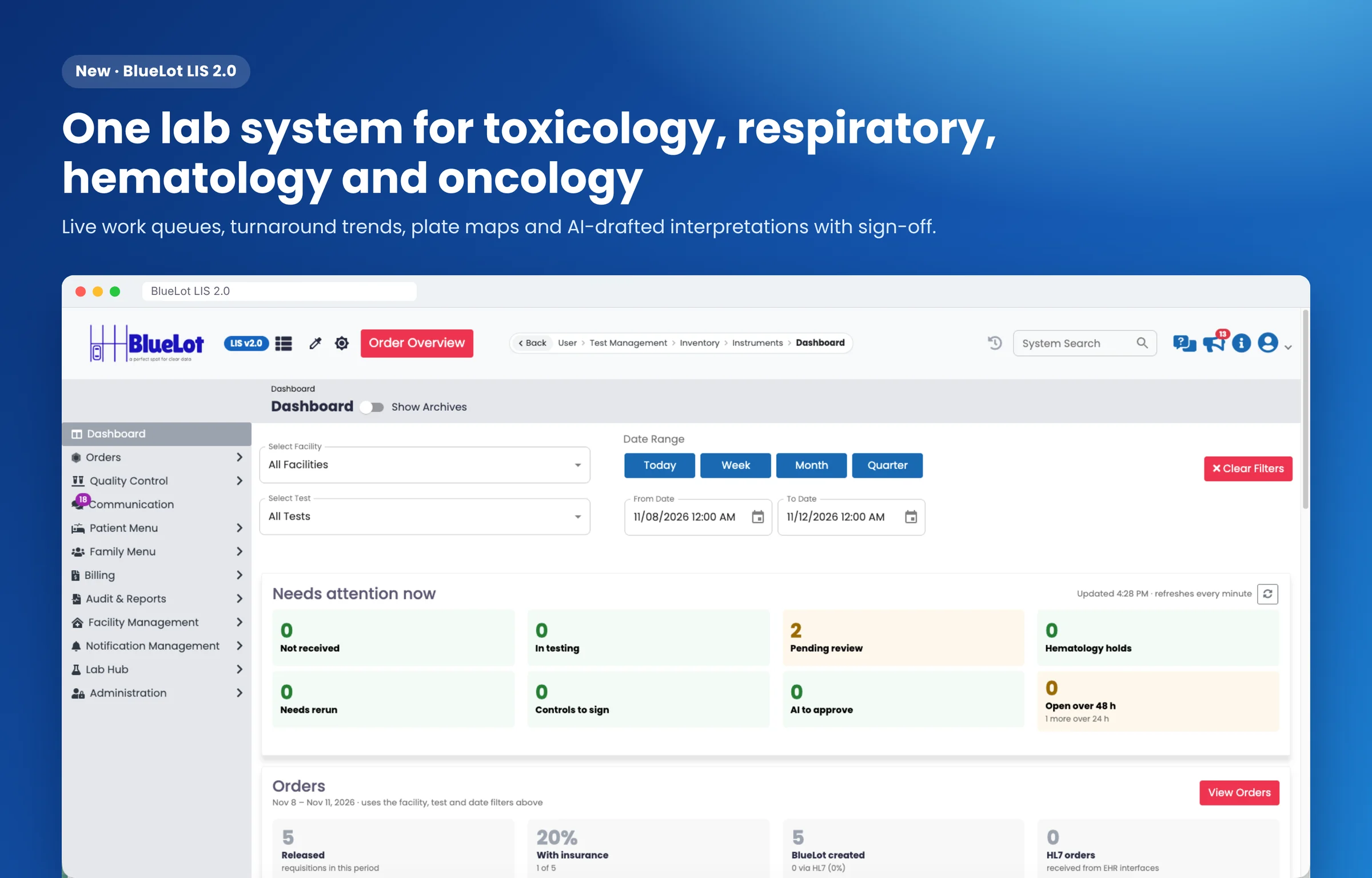
BlueLot LIS 2.0 dashboard with live work queues and order summary.

One system for four lab types

Run toxicology, COVID-19 and respiratory, hematology and oncology testing in one LIS. Each lab turns on only the disciplines it needs.
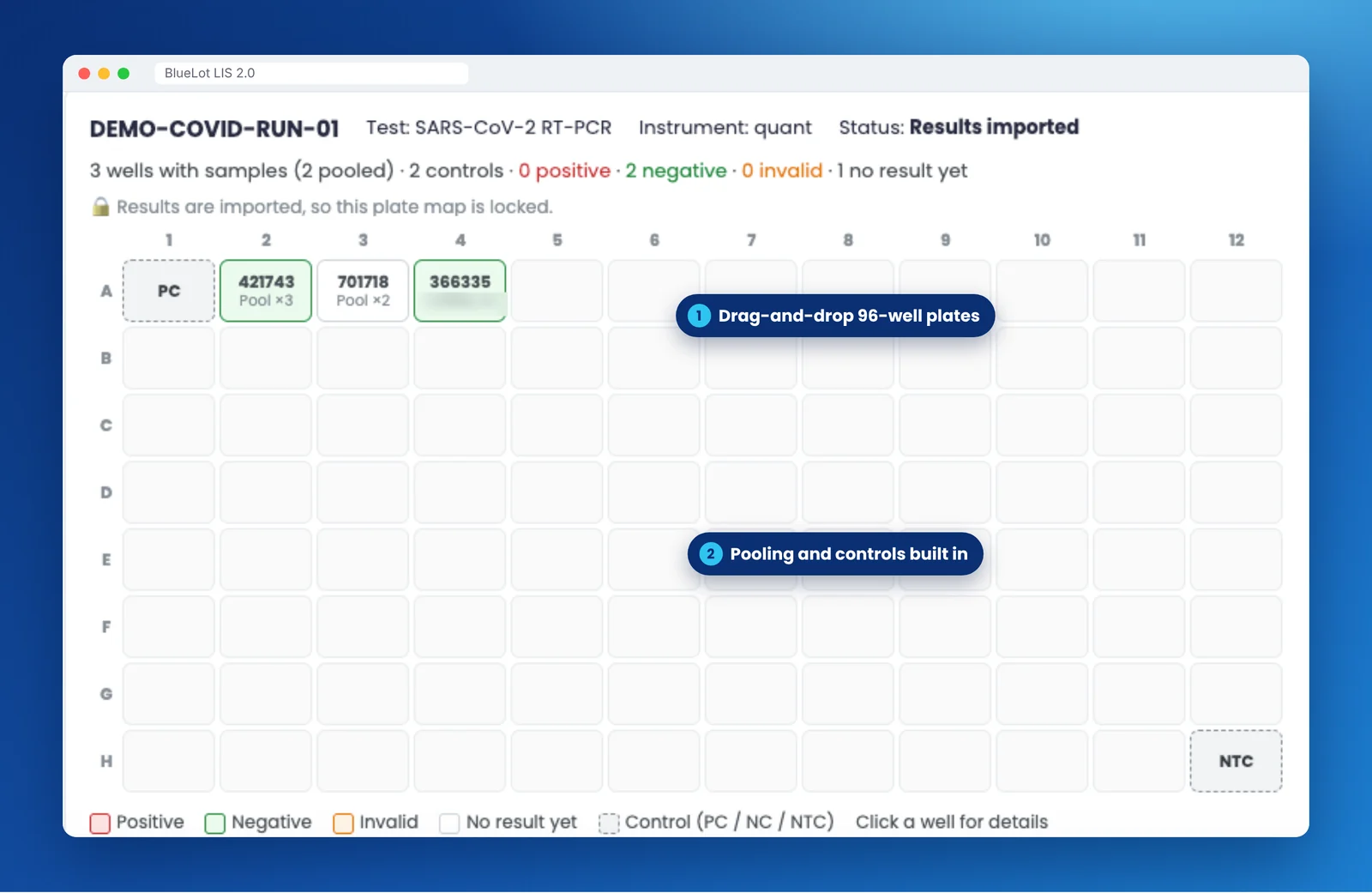
  • Respiratory: 96-well plate maps with drag and drop, sample pooling, control review and negative auto-release
  • Hematology: delta checks, smear-review rules and signed reviews
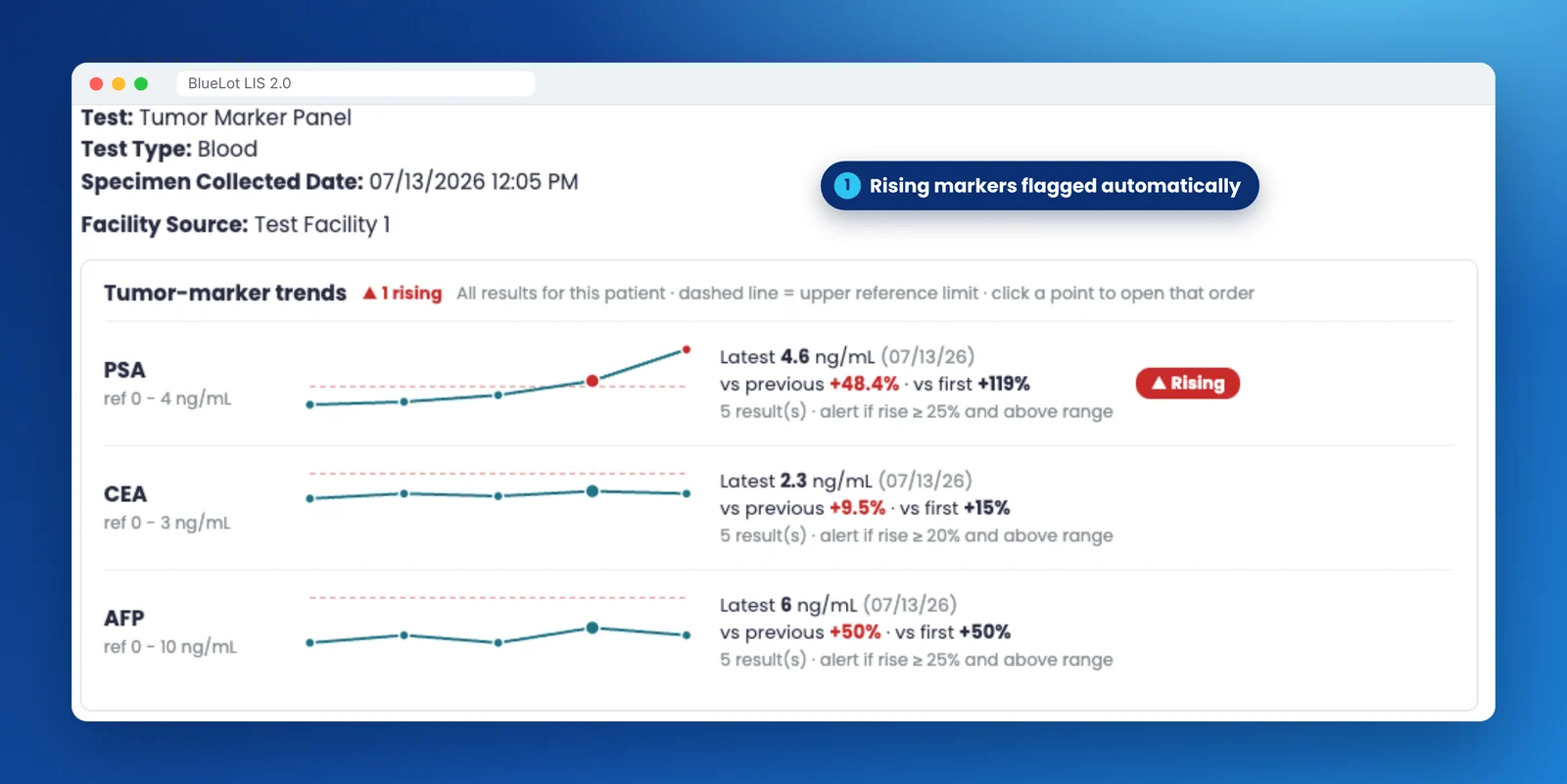
  • Oncology: tumor-marker trends with rising markers flagged automatically
  • Toxicology: confirmation review, specimen validity and billing compliance checks
96-well PCR plate map with positive and no-template controls and pooled samples. Tumor-marker trend lines for PSA, CEA and AFP with a rising PSA flagged.

Faster review and release

Spend review time on the results that need it.
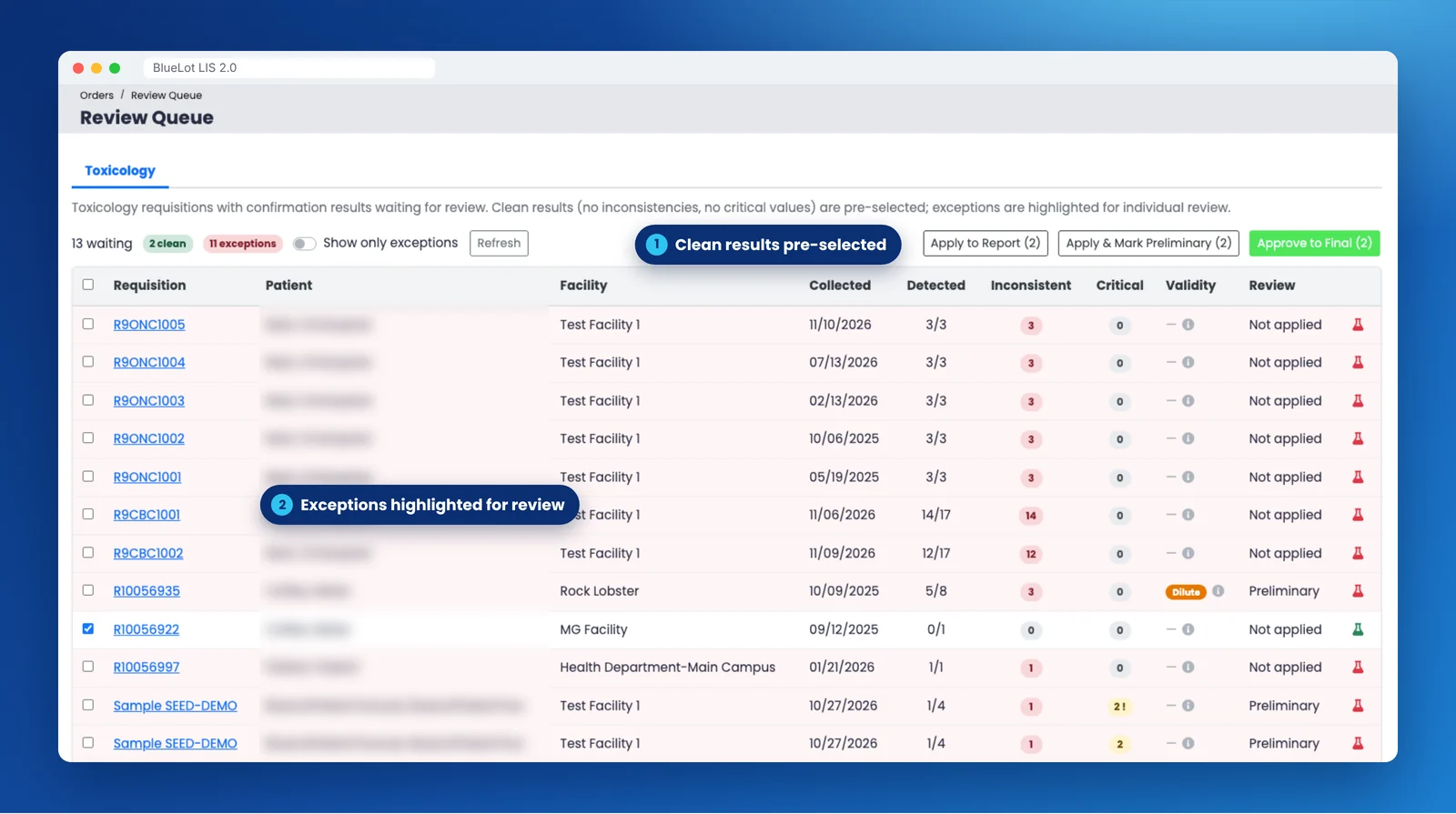
  • Clean results are pre-selected; exceptions are highlighted
  • Autoverification rules for routine results
  • Critical values must have a logged callback before a report goes final
  • Preliminary and final reports, with corrections kept in the history
Toxicology review queue listing requisitions with inconsistent, critical and validity flags.

Every order on one page

The Order Summary shows a requisition from order to release: every test, result, flag and event. Search one order or dozens at once, by order number, sample, patient or MRN.
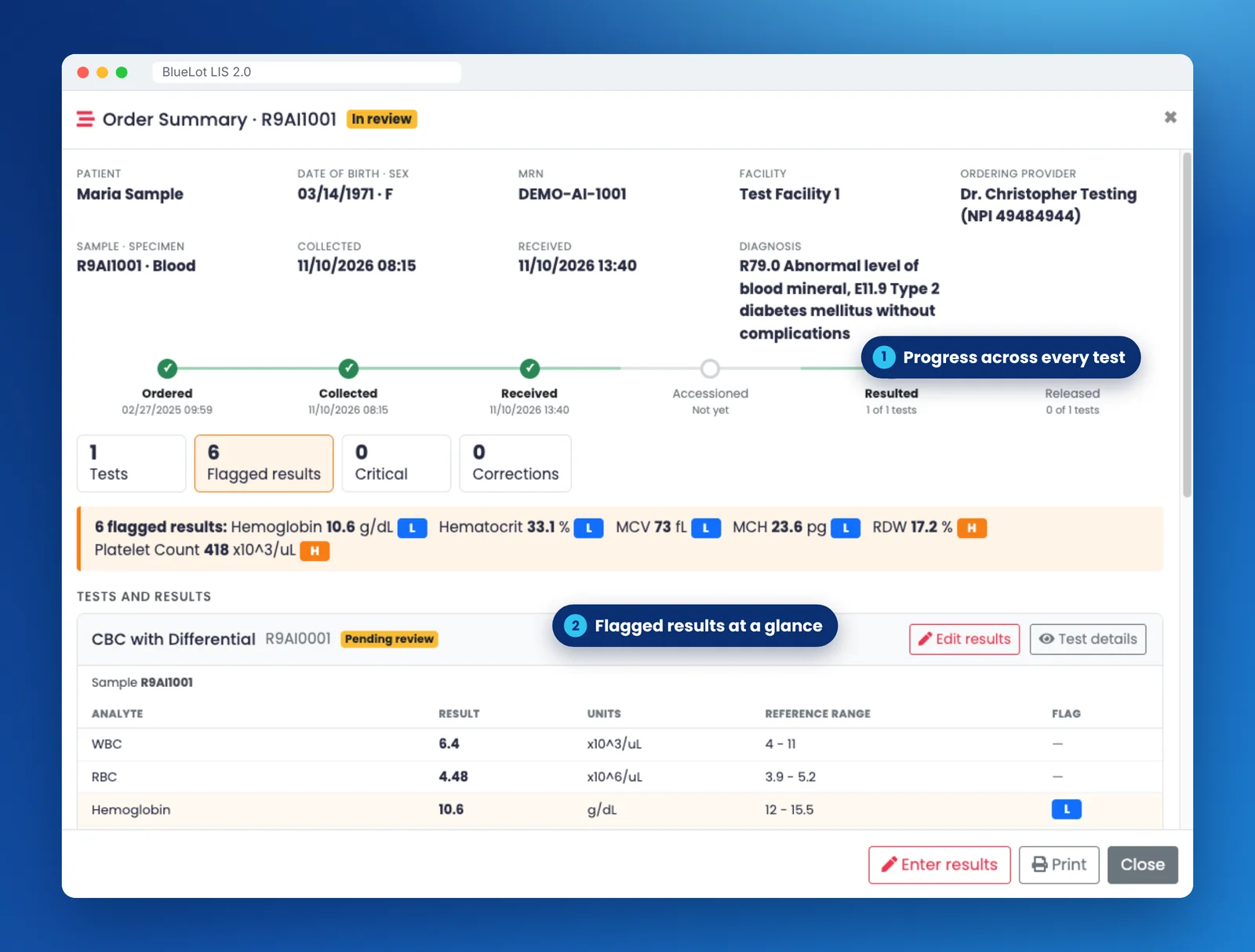
  • Progress test by test, with flagged and critical results first
  • Critical-value calls, corrections, reflex tests and a full timeline
  • Enter results by hand with flags set from the reference range as you type
  • Print one order or many, one per page
Order Summary in BlueLot LIS: patient and order details, a progress bar across every test, flagged results with high and low badges, and each test's results.

Live dashboards and turnaround

Start every shift with what needs attention, and see how the lab is doing against its targets.
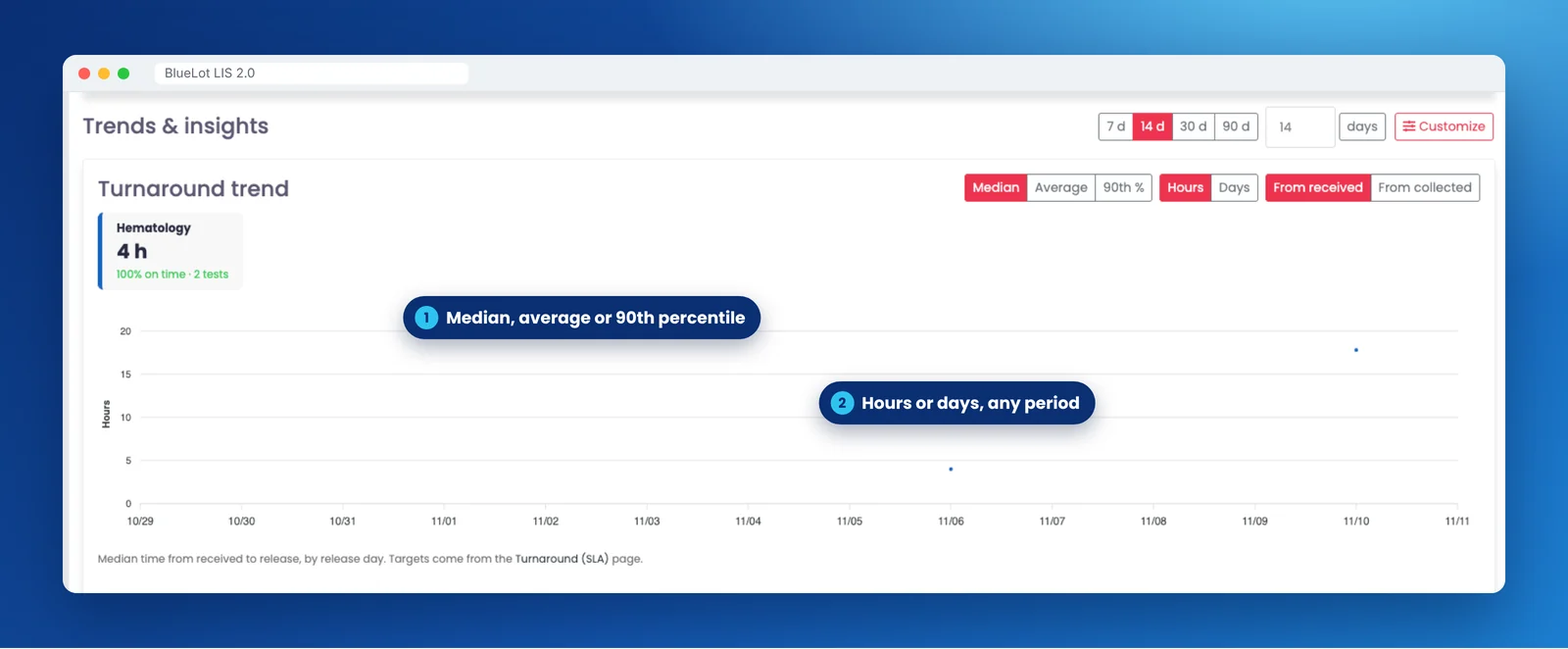
  • Work queues refreshed every minute; every number opens the orders behind it
  • Turnaround by lab type: median, average or 90th percentile, in hours or days
  • Each user arranges their own dashboard
Turnaround trend chart with median hours per lab type and percent on time.

AI-drafted interpretation, signed off by your team

BlueLot drafts a clinical narrative from de-identified results. It appears on the report only after a qualified person reviews and approves it with their signature.
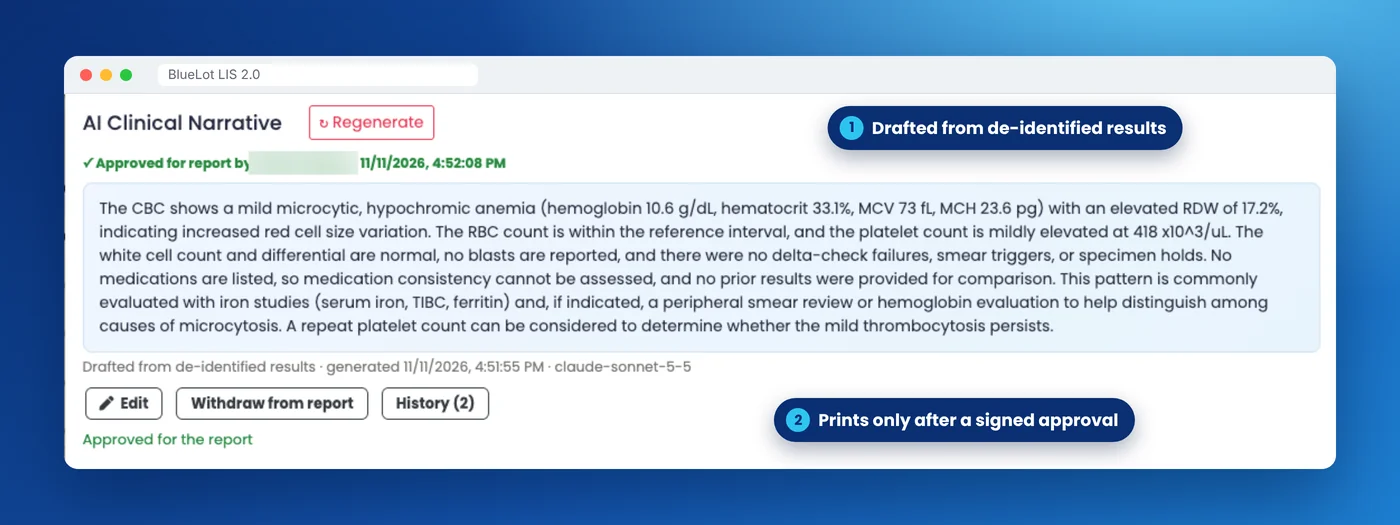
  • Drafts never include patient names or identifiers
  • Edit, approve or withdraw, with a full history
  • Each lab decides whether approved narratives print
AI clinical narrative drafted from de-identified results, approved with a signature before it prints.

Billing-ready from day one

Released tests become charges with CPT and ICD-10 codes, ready for the billing partner you already use: X12 837P claims for clearinghouses, HL7 DFT^P03 for billing systems, or CSV and JSON.
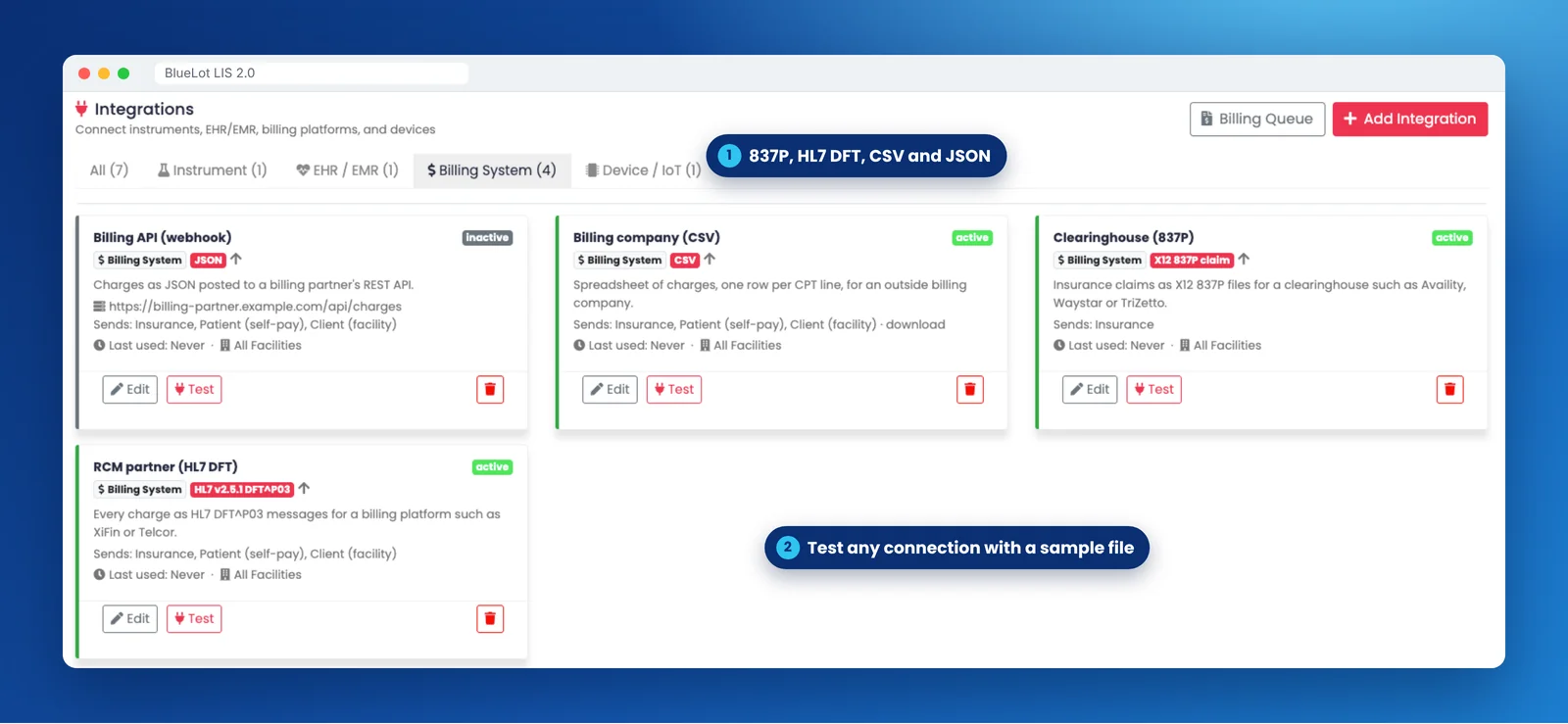
BlueLot LIS billing integrations: X12 837P clearinghouse claims, HL7 DFT charge messages, CSV and JSON, each with a Test button for a sample file.
Facility-level privacyClinic users only ever see their own facilities' orders, checked on the server.
Built-in User GuideSearchable, printable help for every feature, inside the app.
Clickable everywhereEvery order, sample and plate number opens what is behind it.

Need to organize laboratory orders and test records?

Review BlueLot LIS with our team to assess the configuration your laboratory needs.

Review orders and laboratory tasks

Use BlueLot LIS to review laboratory orders, inventory records and scheduled equipment work. Discuss the order types, users and system connections your laboratory needs during a demonstration.

BlueLot completed-orders view with search filters and a table of tests, samples and results.

Orders and processing

Review incoming orders and their processing status in one place. Discuss the order types and portal access your laboratory needs.

BlueLot inventory list showing item quantities and inventory actions.

Inventory

View inventory quantities and manage supply records with the Zone-C inventory module.

BlueLot maintenance calendar with scheduled instrument tasks.

Scheduling and maintenance

Use the scheduling and maintenance tools to organize equipment tasks and review upcoming work.

Explore industry tools

Explore BlueLot tools for cannabis testing laboratories and breweries. Talk with our team about the records, testing and reporting your organization needs.

LIMS for cannabis testing laboratories

Track sample intake, test records and reports. Review your laboratory's instrument connections and reporting requirements with our team.

Data management for breweries

Manage brewing formulations, inventory and production records in one place. Discuss recipes, supplies and planned tank use to assess the configuration your brewery needs.